Walk onto most shop floors running Business Central and ask the plant manager how they know what's actually happening on the line right now. You'll usually get one of two answers. Either they walk the floor and look, or someone runs a spreadsheet that's accurate as of yesterday afternoon.
Neither answer is wrong, exactly. But it's a strange place to land when the company is paying for an ERP system that was specifically built to answer that question in real time.
This happens because most manufacturers implement Business Central to solve a finance problem — get off an outdated accounting package, get cleaner books, get audit-ready reporting — and the manufacturing module gets configured as an afterthought. It technically works. It's just running at about a third of what it's capable of.
Here's what the difference actually looks like, and why it matters more than most finance-led implementations account for.
The gap between "we have an ERP" and "we run on the ERP"
There's a specific tell that shows up in almost every underused Business Central manufacturing setup: production orders exist in the system, but they were created after the work happened, not before it. Someone runs the job, then someone else enters it into Business Central later so the costing and inventory numbers line up.
That's not a manufacturing system. That's a recordkeeping system wearing a manufacturing system's clothes.
The actual value of the module shows up when production orders drive the work — when a planner releases an order, the shop floor sees it, materials get reserved against it, and the system tracks progress as it happens rather than reconstructing it afterward. That's the difference between an ERP that reports on your business and one that runs it.
What changes when production planning actually drives the floor
Demand stops being a guess
Business Central's planning worksheet calculates what you need to produce and when, based on actual sales orders, forecasts, and current inventory — not on what got produced last month plus a gut-feel adjustment. Run it properly and it accounts for lead times, safety stock, and component availability automatically.
Most manufacturers we work with aren't running this at all. They're planning production in someone's head or in a spreadsheet that one person maintains, and Business Central finds out about the plan after the fact. The planning engine exists. It's usually just turned off.
Capacity becomes a number you can see, not a feeling you have
"We're slammed" is not a planning input. Work and machine center capacities in Business Central let you see exactly how loaded each resource is, days or weeks out, before you commit to a delivery date you can't hit.
This is the difference between promising a customer a date because it sounds reasonable, and promising a date because the system showed you the work center has the hours available. One of those approaches doesn't generate late-delivery conversations.
Shop floor visibility stops requiring a walk
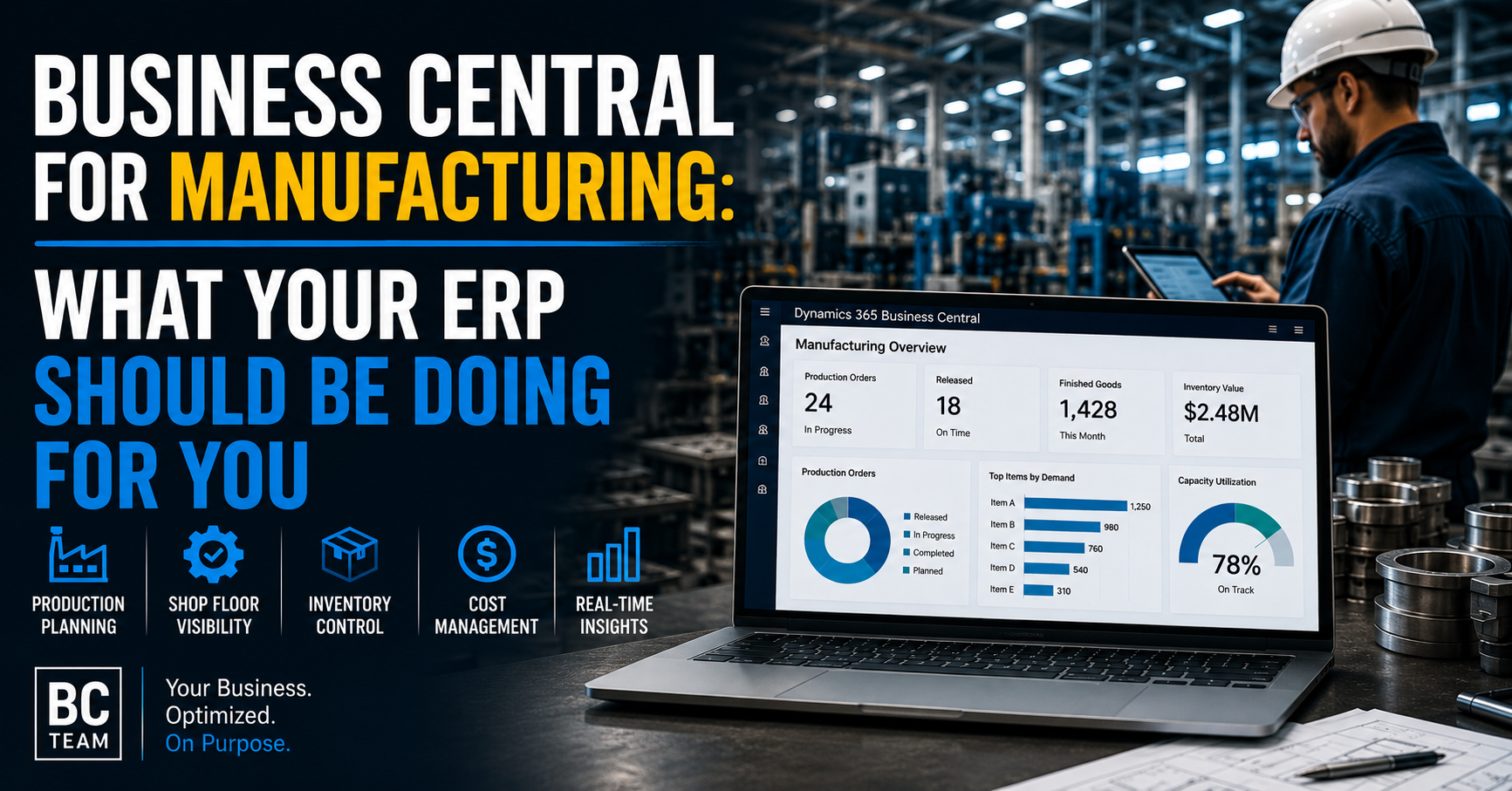
With production orders properly routed through operations and work centers, status updates as work happens — not as someone remembers to log it. A plant manager pulling up the manufacturing overview should see what's released, what's in progress, and what's actually finished today, not a snapshot from the last time someone updated a tracker.
That visibility compounds. It means production meetings run on current data instead of competing memories of what happened on the floor.
The cost picture most manufacturers don't have
Here's a question worth asking your own team directly: on your last completed production order, what was the actual cost versus the standard cost, and where exactly did the variance come from?
If the honest answer involves a shrug, that's the manufacturing module not being used the way it was designed. Business Central tracks actual material consumption, labor, and overhead against each production order and rolls it up into real cost variance — by order, by item, by work center. That data lets you see whether a specific job ran over because of scrap, because of a longer-than-standard run time, or because a component cost more than the standard.
Without that level of granularity, cost overruns get explained with a story instead of a number. With it, you can actually negotiate with a supplier, retrain a process, or reprice a product based on what'sactually driving the cost — not a guess.
Inventory accuracy is a manufacturing problem, not just a warehouse one
Inventory inaccuracy on a manufacturing floor doesn't just mean a wrong count on a shelf. It means a production order gets released for a job, the system says the components are available, and they're not — because the actual stock has drifted from what Business Central thinks is there.
This is usually a process problem, not a software problem. Component consumption that isn't recorded at the moment of use. Scrap that doesn't get logged. Receipts that get posted a day late. Every one of those small gaps adds up to inventory numbers that look fine on a report and are wrong on the floor.
Tightening this — using backflushing where appropriate, recording consumption in real time, reconciling cycle counts regularly — isn't glamorous work. It's also the single highest-leverage thing most manufacturers can do to make every other part of the system more trustworthy.
Where this actually pays off for decision-makers
None of this is really about software features. It's about what kind of decisions you can make with confidence.
Can you quote a delivery date and trust it? Can you tell a customer exactly why a job cost what it cost? Can you walk into a planning meeting with real numbers instead of estimates from memory? Can you spot a capacity bottleneck three weeks before it becomes a missed shipment instead of finding out the day it happens?
Those are the questions a properly configured manufacturing setup in Business Central answers. Most companies paid for that capability when they implemented the system. Most aren't using it.
Where to start if this sounds familiar
You don't need to re-implement Business Central to close this gap. In most cases, the manufacturing functionality is already licensed and already there — it's a configuration and process problem, not a software purchase.
Start by picking one production line or one product family and running it properly through the system end to end: planning, release, floor execution, and costing. Use that as the template. Measure the difference in visibility and accuracy before rolling it out everywhere else.
The companies that get the most out of Business Central on the shop floor aren't the ones with the most advanced configuration. They're the ones who stopped treating the manufacturing module as optional.