Three weeks after go-live, the help desk tickets start arriving. Someone in the warehouse can't figure out how to do a stock count. Someone in sales is creating quotes the long way because nobody told them about the faster screen. Someone in finance is re-entering data that the system could have pulled automatically.
None of these people are bad at their jobs. They sat through training. They were probably paying attention. The training simply wasn't built for them.
This is the part of a Business Central rollout that gets the least budget and causes the most ongoing friction. Not the configuration. Not the data migration. The training — specifically, the assumption that one session can prepare everyone in a company to use the same system, when in practice nobody touches the same parts of it.
The room full of people who needed three different things
Picture a typical go-live training session. Twenty people in a conference room. A trainer walks through the general ledger, then accounts payable, then sales order processing, then warehouse functions, then reporting — because the agenda has to cover the whole system before go-live day.
The finance team sits through forty-five minutes on warehouse pick-and-ship that they will never touch. The warehouse team sits through an explanation of bank reconciliation that has nothing to do with their day. Everyone is in the room for the two or three things that actually matter to them, surrounded by content that doesn't.
By the time the session reaches the part that's actually relevant to a given person, they've already mentally checked out twice. And the part that mattered to them — the specific screen they'll use forty times a day — got covered in fifteen minutes alongside material for four other departments.
This isn't a training delivery problem. It's a training design problem. You can have the best trainer in the country running that session and the structure itself works against retention.
Why "comprehensive" training produces incomplete adoption
There's a reasonable instinct behind broad training: cover everything so nobody is caught unprepared. But comprehensive and effective are not the same thing, and in this case they actively pull against each other.
People retain what they use immediately and repeatedly. A sales rep who learns the quote-to-order process and uses it the next day will remember it. A sales rep who also sat through training on inventory valuation methods they'll never touch has used working memory on something with zero reinforcement — and it's gone within a week.
Worse, broad training creates a false sense of readiness. Everyone technically "completed training." The completion checkbox is ticked. But completion isn't the same as competence, and the gap between the two is exactly where adoption problems live in the weeks after go-live.
What role-based onboarding actually does differently
It starts from the job, not the system
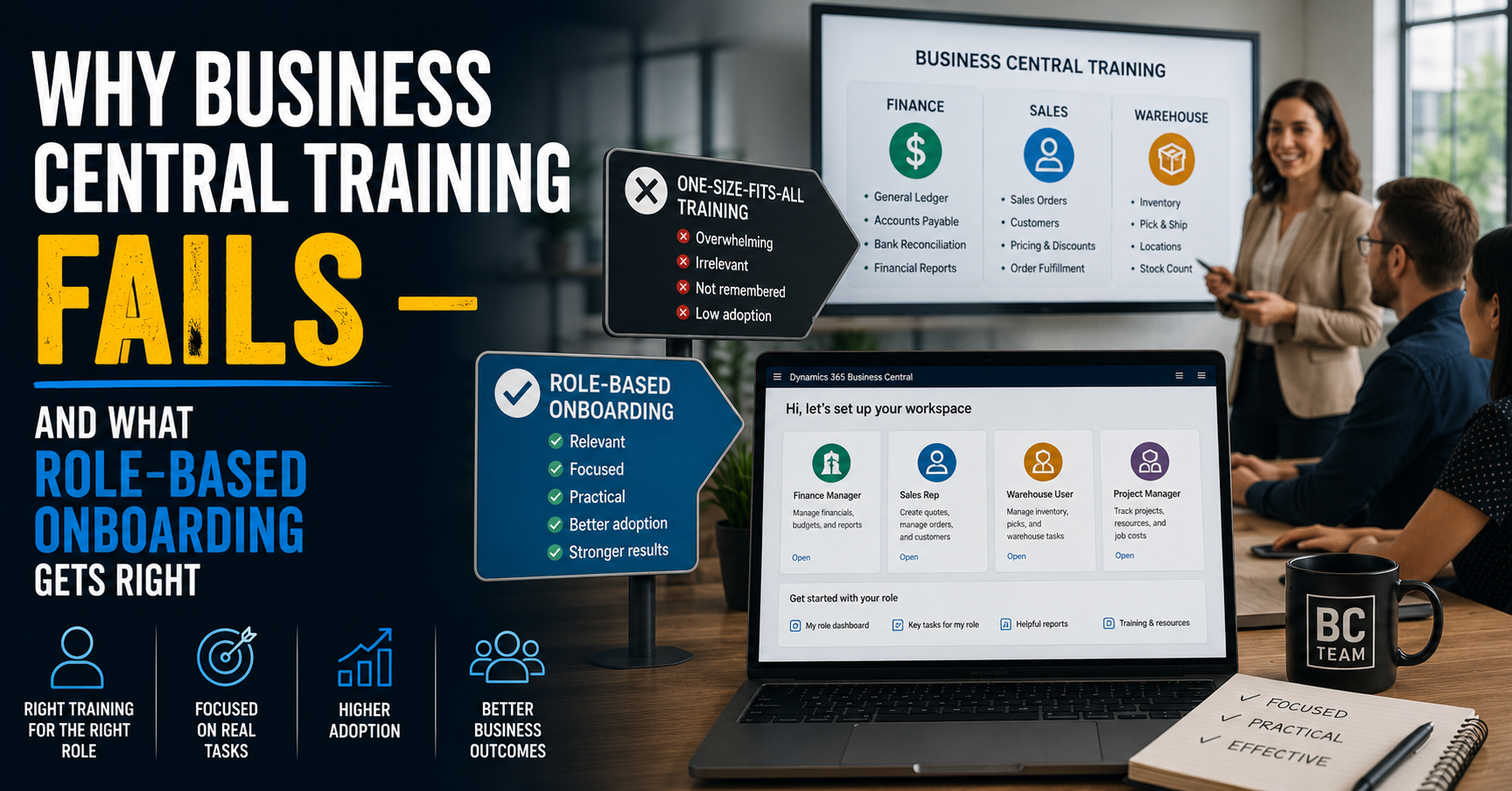
Role-based onboarding doesn't ask "what does Business Central do?" It asks "what does a finance manager need to accomplish on a Tuesday?" — and builds training around that. The finance manager's onboarding covers the general ledger, accounts payable, bank reconciliation, and financial reports. The warehouse user's covers inventory, picks, locations, and stock counts. Neither sees the other's material, because neither needs it.
Business Central's own role centers are built around exactly this logic — each role lands on a dashboard configured for that job, with the relevant tasks, reports, and shortcuts surfaced first. Most companies pay for this capability and then train everyone identically anyway, which undercuts the entire design.
It's practical instead of theoretical
The difference between "here's how the sales order screen works" and "here's how you'll create the quote for a customer who wants a 10% discount on a partial shipment" is the difference between training people forget and training people use. Role-based onboarding is built around the actual tasks a person performs, not a feature tour of the module.
This requires more upfront work — someone has to map out what each role actually does day to day, rather than just walking through the menu structure. That work pays for itself within the first month, because the people doing the work aren't guessing.
It produces fewer support tickets, not just better feelings
This is the part that should matter most to a decision-maker evaluating training spend: role-based onboarding has a direct, measurable effect on the volume of "how do I" questions that land on your support desk or your implementation partner's billable hours in the weeks after go-live.
Generic training produces generic confusion. Everyone half-remembers everything and nobody fully remembers their own job. Role-based training produces specific competence — people who know their four screens cold, even if they couldn't tell you what the warehouse team's screens look like. That's the right trade. Most companies are accidentally optimizing for the opposite.
The adoption metric nobody asks about
Most post-implementation reviews ask whether training happened. Almost none ask whether people are still using the new processes correctly ninety days later, or whether they've quietly drifted back to workarounds, spreadsheets, and the habits the new system was supposed to replace.
That drift is the real cost of generic training. It doesn't show up as a failed go-live. It shows up six months later as a system that's technically live but functionally underused, with half the team still keeping a parallel spreadsheet "just in case," because their one training session never gave them enough confidence to fully let go of the old way.
Role-based onboarding closes that gap because it builds confidence in the specific tasks people repeat constantly, rather than general familiarity with a system they touch in fragments.
What this looks like to set up
You don't need a training department to do this properly. You need a role map — a short list of the actual job functions interacting with Business Central, and the specific tasks each one performs — and training content built against that map instead of against the module list.
In practice this means four or five focused sessions instead of one long one. A finance session. A sales session. A warehouse session. A project or job-costing session if that applies. Each one shorter, sharper, and immediately useful to the people in the room.
The investment is roughly the same. The difference is where that investment goes — toward what people actually need to know, instead of toward covering every base in case someone asks.