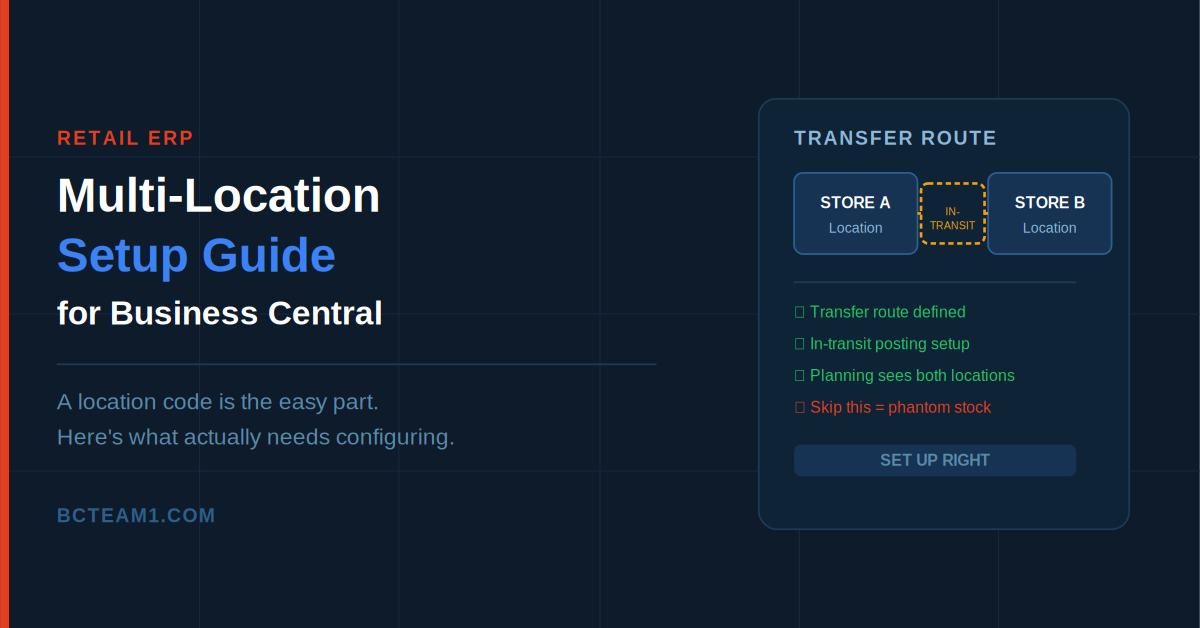
The second store opens in six weeks. Someone on the team has already added a new location to Business Central, and on paper, everything looks ready. Then week two after go-live arrives, and the numbers stop making sense: inventory shows up as sold at one store but never received at the other, a transfer that shipped Tuesday still hasn't landed anywhere a week later, and finance can't tell whether that stock is lost, mis-shipped, or just sitting in some kind of accounting limbo.
None of this means Business Central can't handle multi-location retail. It handles it well. But "add a location" and "properly configure multi-location retail" are two very different amounts of setup work, and the gap between them is exactly where most of these problems come from.
A Location Code Is the Easy Part
Creating a new Location Card takes minutes — name it, code it, done. That's also the part everyone remembers to do, which is exactly why it's rarely the source of problems. The setup that actually determines whether multi-location retail runs cleanly happens in three other places: transfer routes, inventory posting setup, and in-transit handling. Skip any of these and the location technically exists, but stock moving between it and anywhere else won't behave the way anyone expects.
Transfer Routes: The Setup Everyone Forgets Until It Breaks
Moving inventory between two locations in Business Central happens through a Transfer Order — a from-location, a to-location, a shipment posted, then a receipt posted separately at the other end. That structure only works if a Transfer Route has been defined between the two locations first. Without one, a transfer order between your two stores simply can't be posted, which is exactly the kind of thing that surfaces for the first time during a live transfer, not during testing.
A transfer route also defines the in-transit location — a special location code flagged specifically for holding inventory that's shipped from one store but not yet received at the other. This matters more than it sounds like it should: while stock is in transit, it needs to live somewhere in the system, or your on-hand quantities will be wrong at both ends simultaneously — appearing to have left one store's inventory before it's actually arrived at the other, with no record of where it currently sits.
The in-transit location isn't just a placeholder, either — it needs its own entry in Inventory Posting Setup, or posting a transfer will throw an error the first time anyone tries it. This is one of the most common setup gaps we see: a transfer route gets created, someone forgets the in-transit location needs posting setup too, and the whole thing fails the first time it's actually used.
Inventory Posting Setup Needs to Exist for Every Location, Not Just the First One
Each location needs its own inventory posting setup combination — tying item categories or posting groups to the correct G/L accounts for that specific location. It's common for a second location to get created and left pointing at incomplete or default posting setup, which technically lets transactions post but sends the resulting entries to the wrong place in the general ledger, or fails outright on the first real transaction that touches it.
This is worth testing deliberately before go-live — post a test receipt, a test sale, and a test transfer at the new location specifically, and confirm the G/L entries land where finance expects them to. Discovering a posting setup gap during a live sale on opening day is a worse time to find it than during a quiet test the week before.
Planning Worksheet Behavior Across Locations
Here's a specific, easy-to-miss detail: Business Central's Planning Worksheet, when run without a location filter, evaluates each location's needs independently — it won't automatically notice that Location A has excess stock that could cover a shortage at Location B. Left unconfigured, this means the system can suggest a brand-new purchase order for Location B while Location A is sitting on inventory that could have covered it through a transfer instead.
Getting the system to suggest transfers instead of duplicate purchases requires deliberate planning parameter setup — not a default behavior, something that has to be configured with your specific store network in mind. For a retail operation with two or more locations, this is worth setting up properly from day one; the alternative is duplicate purchasing that nobody notices until inventory levels look strangely bloated at one store and strangely thin at another.
Zones and Bins — Only If You Actually Need Them
Business Central lets you subdivide a location further into zones and bins — receiving zones, storage zones, shipping zones, and specific bin locations within each. For most retail store locations, this level of granularity is unnecessary complexity; it's built for warehouse and distribution operations with real pick-and-pack workflows, not a retail floor with a stockroom.
The mistake worth avoiding here runs in both directions: skipping zone and bin setup for an actual distribution center that needs it causes real fulfillment problems, but adding that complexity to a simple retail stockroom that doesn't need it just creates unnecessary configuration overhead for staff to work around every day. Match the setup to what the location actually does, not to what sounds more sophisticated.
What This Looks Like Done Right
A properly configured multi-location retail setup means a transfer between stores posts cleanly, in-transit inventory is visible and accounted for the entire time it's moving, posting setup is complete and tested at every location before go-live, and planning correctly considers cross-location stock before suggesting a new purchase. None of this is exotic configuration — it's foundational setup that simply needs to happen before opening day, not discovered as a gap after it.
Before You Open the Next Location
If you're adding a second — or third, or tenth — location to an existing Business Central environment, it's worth auditing three things specifically before go-live: whether transfer routes and their in-transit locations are fully configured and posting-tested, whether inventory posting setup is complete for the new location specifically, and whether planning parameters actually account for cross-location stock. Most multi-location retail problems trace back to one of these three gaps, and all three are far cheaper to fix before opening day than after.