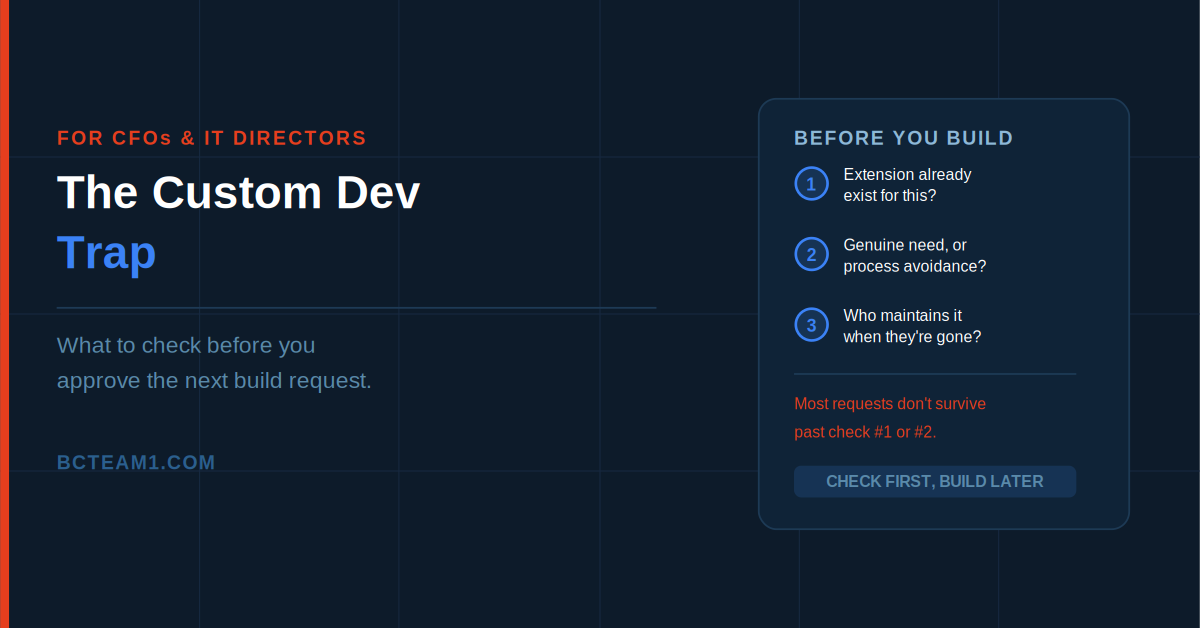
Someone on the team asks for a custom development quote to make Business Central handle approvals "the way we've always done it." The request sounds reasonable — every business has its own workflow, and the system should adapt to the business, not the other way around. Six months and a meaningful invoice later, that custom logic breaks during a routine update, and IT spends a week figuring out why, because the person who understood the original requirement left the company in between.
This isn't an argument against customizing Business Central — sometimes it's genuinely the right call. It's an argument for checking three things first, because a fair number of custom development requests turn out, on closer inspection, to be an expensive way to avoid a five-minute process conversation.
Check 1: Does an Extension Already Exist for This?
Business Central's AppSource marketplace hosts thousands of published extensions — industry-specific functionality, third-party integrations, and enhancements to standard modules, built and maintained by vendors who handle ongoing compatibility as part of the product. Before commissioning custom development, it's worth a genuine search: has someone already built and maintains a solution to this exact problem?
The advantage of an AppSource extension over custom-built logic isn't just cost — it's that someone else is responsible for keeping it compatible with new Business Central releases. That's a real, ongoing maintenance burden a published vendor absorbs that a custom build leaves entirely on your own team. This isn't true of every extension equally; vendor update history and support practices vary and are worth checking before adopting one. But when a well-maintained extension genuinely covers the requirement, it's very often the lower-total-cost path compared to building the same thing from scratch.
Check 2: Is This a Genuine Requirement, or Process Change Avoidance?
This is the harder conversation, and the more valuable one. "We need the system to match our current process" sounds like a requirement. Sometimes it is. Often, on closer examination, it's really a request to preserve a process that was built years ago for reasons nobody currently at the company fully remembers, and that a standard Business Central workflow would actually handle better.
A useful question to ask directly: if we were setting this process up fresh today, with no history to preserve, would we build it this way? If the honest answer is no — if the current process exists mostly because "that's how we've always done it" — that's a signal worth taking seriously before spending real development budget encoding that process permanently into custom code. Standard functionality exists because it reflects patterns that work well across many businesses; deviating from it should be a deliberate choice grounded in a genuine business difference, not inertia.
Check 3: Who Maintains This When the Person Who Built It Is Gone?
Custom development built as a proper per-tenant extension — AL-coded, version-controlled, designed with Business Central's modern extensibility model in mind — survives platform updates far better than the old-style customizations that used to require re-applying code changes after every upgrade. That's a genuine architectural improvement worth understanding clearly. It does not mean the custom logic maintains itself.
Per-tenant extensions receive no validation from Microsoft and carry no external maintenance obligation the way an AppSource product does — code quality, security review, and ongoing compatibility testing are entirely the responsibility of whoever built it. If that's an internal developer who leaves, or an outside contractor who isn't retained after the initial build, the business is left with working code that nobody currently on staff fully understands, waiting for the day it needs to change.
Before approving custom development, ask directly: who owns this code long-term, is it version-controlled somewhere the business actually has access to, and what happens when it needs updating in two years by someone who didn't write it. If there's no good answer, that's a real cost to weigh against the build — not a hypothetical one.
When Custom Development Is Genuinely the Right Call
None of this means custom development is inherently risky or should be avoided by default. A business with a genuinely unique pricing model, a specialized workflow tied to real competitive differentiation, or a one-off integration with an external system the business depends on is exactly the kind of situation a properly built per-tenant extension is designed for. The goal isn't zero customization — it's making sure each customization decision passes through these three checks deliberately, rather than getting approved because a demo of the current process sounded urgent.
What Good Custom Development Actually Looks Like
When a custom build genuinely clears all three checks, it's worth insisting on a few specific things from whoever builds it. The extension should be built properly in AL, following Microsoft's modern extensibility model — using events and subscriptions to extend standard functionality rather than modifying base objects directly, which is what makes it survive future platform updates cleanly instead of breaking with every release.
It should also be version-controlled somewhere the business itself has access to — not sitting only on a contractor's laptop or a partner's internal repository the company can't reach if that relationship ends. And it should come with enough documentation that a different developer, two years later, can understand what the extension does and why, without needing to track down the original author. None of this is exotic — it's standard, professional development practice — but it's exactly the kind of thing that gets skipped under time pressure on a "quick" custom build, and it's exactly what makes the difference between a maintainable asset and the kind of undocumented legacy logic nobody wants to touch.
A Practical Filter Before the Next Build Request
The next time a custom development request comes in, run it through the three checks directly: has this already been solved by a maintained AppSource extension, is the underlying process itself actually worth preserving or just familiar, and is there a real, named plan for who maintains this once the person requesting it has moved on. Requests that survive all three are usually the ones worth building. A surprising number don't make it past the first two.