The auditor asks a simple question during year-end fieldwork: why does the tax depreciation schedule not match what's posted to the general ledger for this piece of equipment. Nobody has a confident answer, because the person who originally set up the fixed asset left the company two years ago, and the depreciation batch job has been quietly running every month since — technically working, technically wrong, for two years.
This is a specific, recurring pattern in Business Central fixed asset management: the software runs depreciation exactly as configured, every time, without complaint. The problem is never that the batch job failed. It's that the setup underneath it — depreciation books, posting groups, FA posting type configuration — had a mistake baked in from the start, and nothing about a smoothly running monthly job ever surfaces that.
The Structure: Three Layers That Have to Line Up
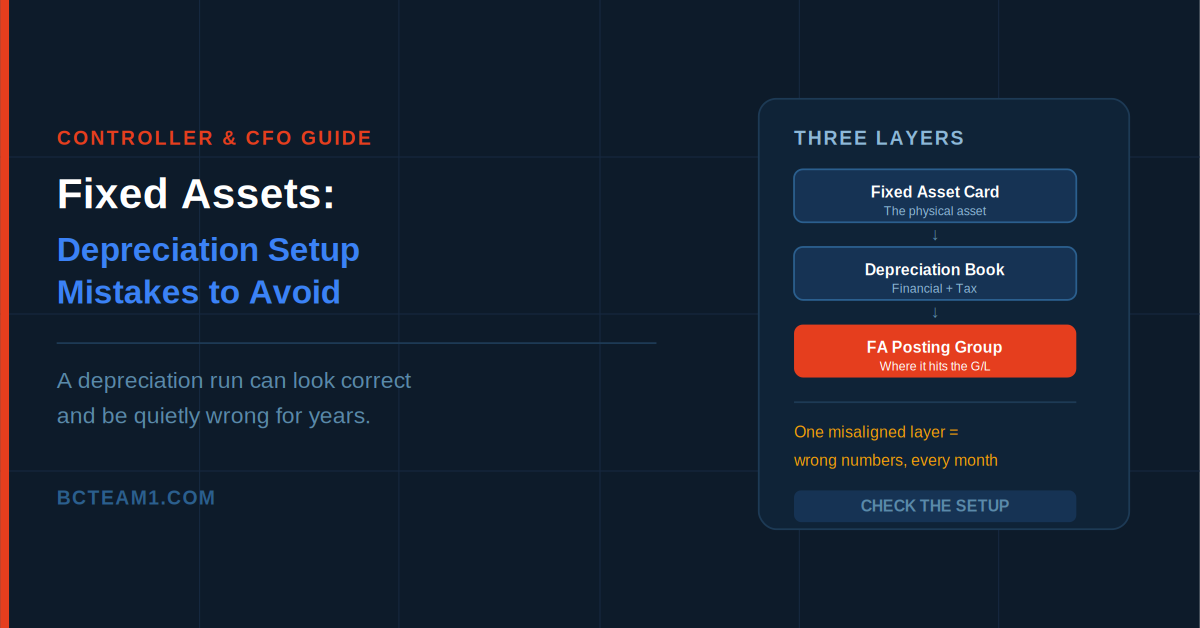
Business Central's fixed asset structure has three layers, and a mistake in any one of them quietly propagates through the others. The Fixed Asset card represents the physical asset itself. The Depreciation Book, linked to that card, defines how the asset is actually depreciated — and a single asset can be linked to multiple depreciation books simultaneously, commonly one for financial reporting and a separate one for tax purposes, each potentially using entirely different methods and timelines. The FA Posting Group determines which G/L accounts fixed asset transactions actually hit — acquisition cost, accumulated depreciation, depreciation expense, gain and loss on disposal.
When these three layers are configured correctly and consistently, an asset depreciates cleanly across however many books it needs to, posting to the right accounts automatically. When one layer is off — a posting group misaligned with its asset class, a depreciation book missing proper FA Posting Type Setup — the depreciation job still runs successfully every month. It just posts the wrong numbers, consistently, until someone notices.
Mistake 1: Multiple Books Set Up Once and Never Reconciled
Running separate depreciation books for financial and tax reporting is a legitimate, common setup — but it requires each book's FA Posting Type Setup to be configured independently and deliberately, not copied once and assumed correct forever. Each posting type on that page controls specific behavior: whether posting is debit or credit, and whether that posting type is included in the depreciable basis calculation. Get this wrong on one book and it can silently diverge from the other for years, since nothing in the normal monthly run flags the mismatch.
Worth noting directly: Business Central explicitly recommends not changing FA Posting Type Setup for a depreciation book once entries have already been posted against it — meaning a setup mistake discovered late is often more complicated to correct retroactively than it would have been to catch during initial configuration.
Mistake 2: Depreciation Method Chosen Without Understanding the Formula Behind It
Business Central supports straight-line, declining-balance, and user-defined depreciation methods, each calculating depreciation amounts through a distinct formula tied to depreciable basis, depreciation days, and the specific percentage or fixed amount entered. Choosing a method without understanding exactly how that formula behaves against a specific asset's acquisition date and fiscal calendar is a common source of depreciation amounts that look plausible but aren't quite right — particularly when depreciation is run for a partial period rather than a clean full fiscal year, which Microsoft's own documentation flags as a common source of calculation errors if not handled deliberately.
User-defined depreciation methods add another layer of setup precision: the First User-Defined Depreciation Date must be set to the same date as, or earlier than, the depreciation starting date — a small field easy to get backwards, with real downstream effect on the calculated schedule.
Mistake 3: G/L Integration Toggles Left at Default
On the Integration tab of each depreciation book, individual toggles control whether each posting type actually writes to the general ledger or stays contained within the FA ledger only. The common, correct pattern is enabling G/L integration on the primary financial book while leaving it off on tax-only books — but this has to be a deliberate choice, not a default left unexamined. A tax book accidentally posting to the G/L, or a financial book failing to post when it should, both produce numbers that look internally consistent within Business Central while being wrong relative to what finance actually needs reported.
Mistake 4: FA Posting Groups Misaligned With Asset Classes
Each Fixed Asset card links to one FA Posting Group, which should normally align with the asset's FA Class — but it's common for posting groups to be created ad hoc during data entry rather than deliberately mapped to a consistent class structure. When posting groups drift from class alignment, reporting that segments by asset class becomes unreliable, because the underlying G/L postings aren't actually organized the way the class structure implies they should be.
What Catching This Actually Looks Like
Business Central does provide a genuine safety net worth knowing about: if a depreciation run turns out to be wrong, the Cancel FA Ledger Entries batch job can reverse specific posted entries, recording the reversal as a distinct Fixed Asset Error Ledger Entry that preserves a clean audit trail rather than simply deleting the mistake. This is a real, usable correction path — but it's a fix for a discovered problem, not a substitute for getting the underlying setup right in the first place.
Where to Start
For any company running multiple depreciation books, it's worth auditing three things directly: whether FA Posting Type Setup has actually been configured independently and correctly for each book rather than copied once, whether G/L integration toggles reflect a deliberate financial-versus-tax decision rather than a default, and whether FA Posting Groups genuinely align with asset classes rather than having drifted from ad hoc data entry. A quiet mismatch in any of these can run undetected for years — right up until an auditor asks the one question nobody currently on staff can confidently answer.